![Logo-Full White.png]](https://help.joinsubtext.com/hs-fs/hubfs/Logo-Full%20White.png?height=40&name=Logo-Full%20White.png)
Editing an Audience Group
Editing an existing audience couldn't be easier.
Click on the righthand ellipsis next to the audience you'd like to edit and you'll see a menu of options appear.
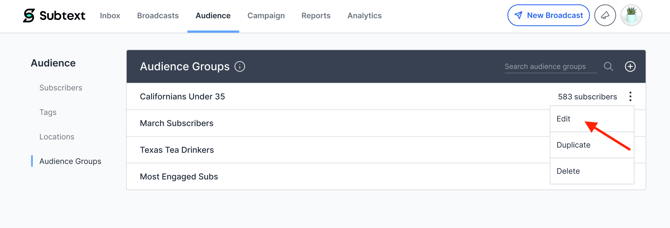
From here you can delete, duplicate, or edit your audience. 📝
If you want to edit your audience, you simply select this option on the audience you want to edit and adjust either the name or conditions accordingly.
Example
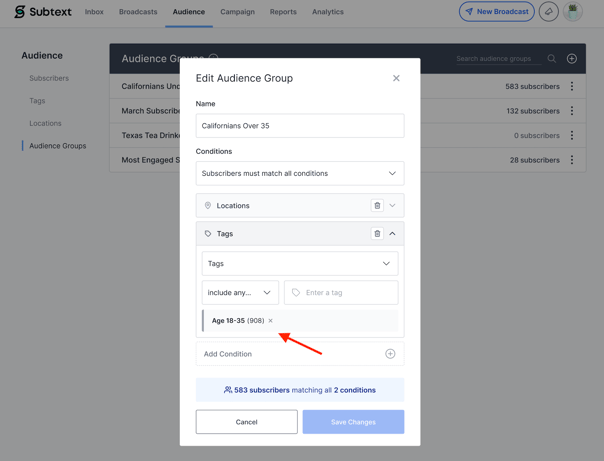
We want to change the group "Californians under 35" to "Californians over 35".
First, we change the group name and remove the tag for 18-35 year olds.
Then, we re-name the group and add the tag for 35+.
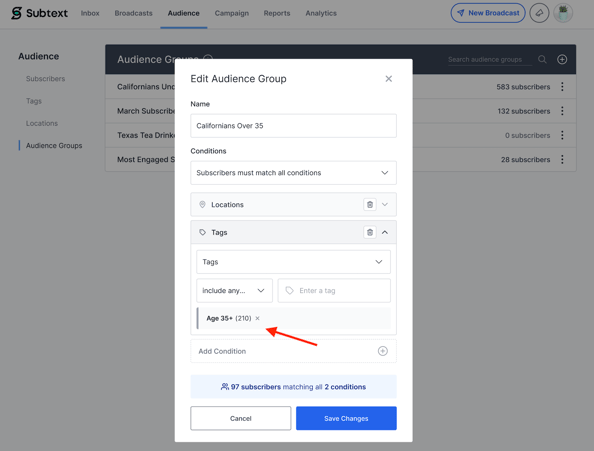
Once we are finished, we save the changes and the group has been updated. 👏