![Logo-Full White.png]](https://help.joinsubtext.com/hs-fs/hubfs/Logo-Full%20White.png?height=40&name=Logo-Full%20White.png)
You can now bulk unsubscribe your audience directly in the dashboard.
Navigate to the Audience tab 👫
From here, you'll click on the Manage Audience button on your lefthand bar and select Bulk unsubscribe from the list of actions provided.
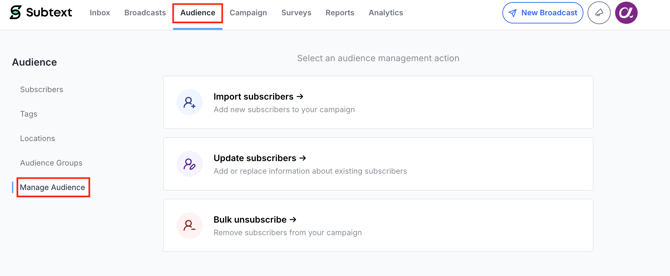
From here, you'll be directed to select the file of subscribers you want to remove.
➡️ Click here for additional instructions on formatting your import files.
**The file must contain at least one column with mobile phone numbers.
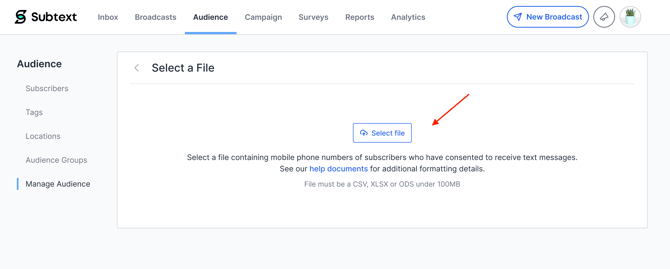
Once you've selected your file, you'll be directed to the Match Properties screen.
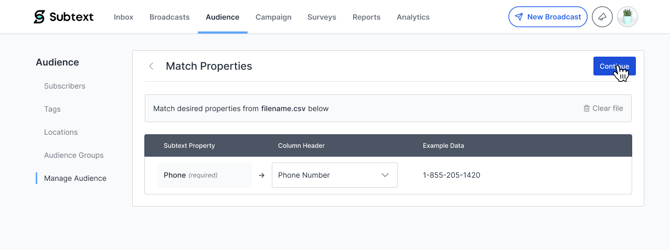
Only the phone property will appear as you don't need to map any additional fields when unsubscribing. From here, click Continue.
Review Details
You will then be directed to the Review Details screen where you'll see an Import Summary.This summary displays the total number of records to be unsubscribed.
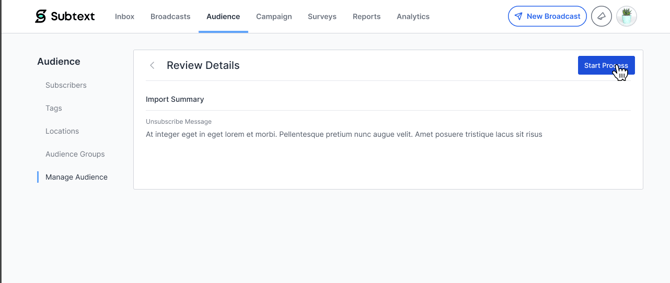
When you are ready, click Start Process. The Bulk unsubscribe action will begin running in the background.
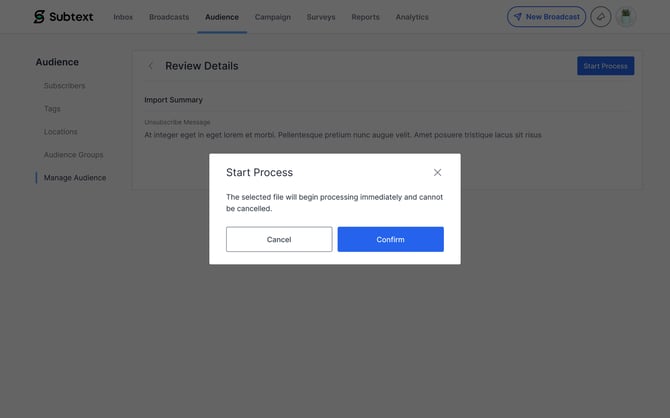
After submitting, the Manage Audience hub will display a banner indicating that the process is in progress.
.jpg?width=670&height=419&name=Action%20Selection%20Page%20(1).jpg)
You do not need to remain on this page. The import will continue running in the background.
Email Confirmation 📩
When the process is complete, Subtext will send an email to the account's registered email address with a full summary of results.
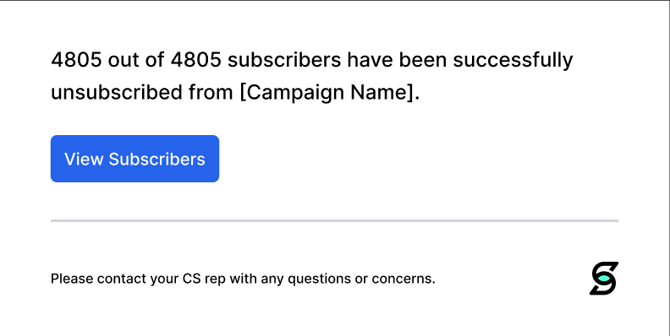
The email will show the total number of subscribers who have been unsubscribed.
A View Subscribers button in the email links directly to the Subscribers section of your campaign for immediate review.
Any questions? Reach out to your CS Manager and they'll be able to help you out. 😎